
Describe the work. Get an automation you can account for.
Describe the job in plain language and the platform builds the automation with you, then runs it on a schedule or when something happens. Every run is kept with its inputs, its output and its duration, so you can prove what ran and why. Each automation gets only the access it needs, and who may change what is yours to decide.
In production use todayThe problem it removes
Most automation projects do not fail on the clever part.
The working version lives on somebody’s laptop. Nobody is sure what it touched, nobody can rerun it next quarter, and nobody will put their name on it. Agent Manager is the part that turns it into something the business owns: a home, an owner, a schedule, a boundary and a history.
From an idea to a working automation the same day
You explain the job the way you would explain it to a colleague: which system to read, what to check, who to tell. The platform drafts it, runs it, and works the failures through with you. Nobody has to learn a scripting language to get a first version standing up.
Every automation in one place, with an owner
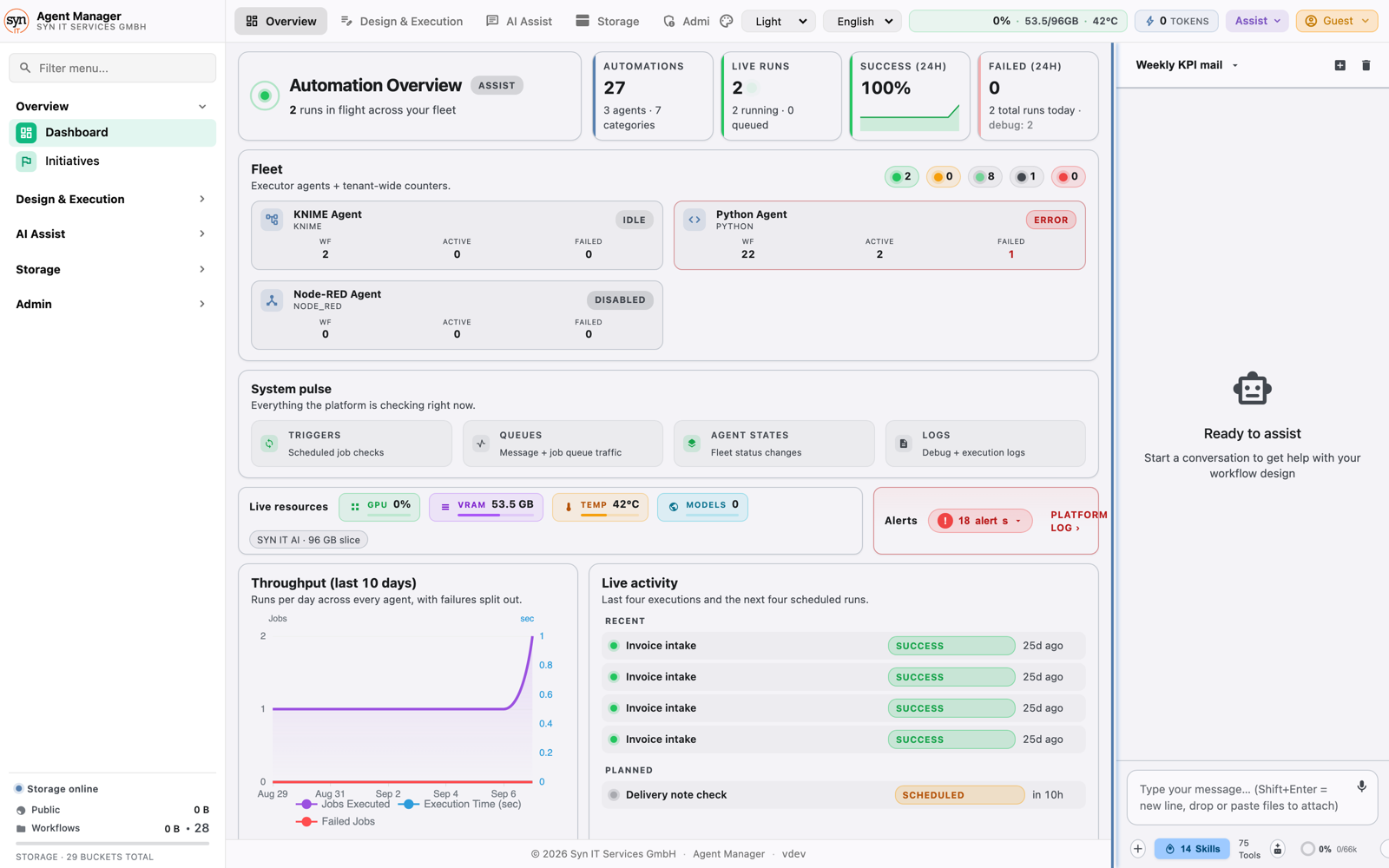
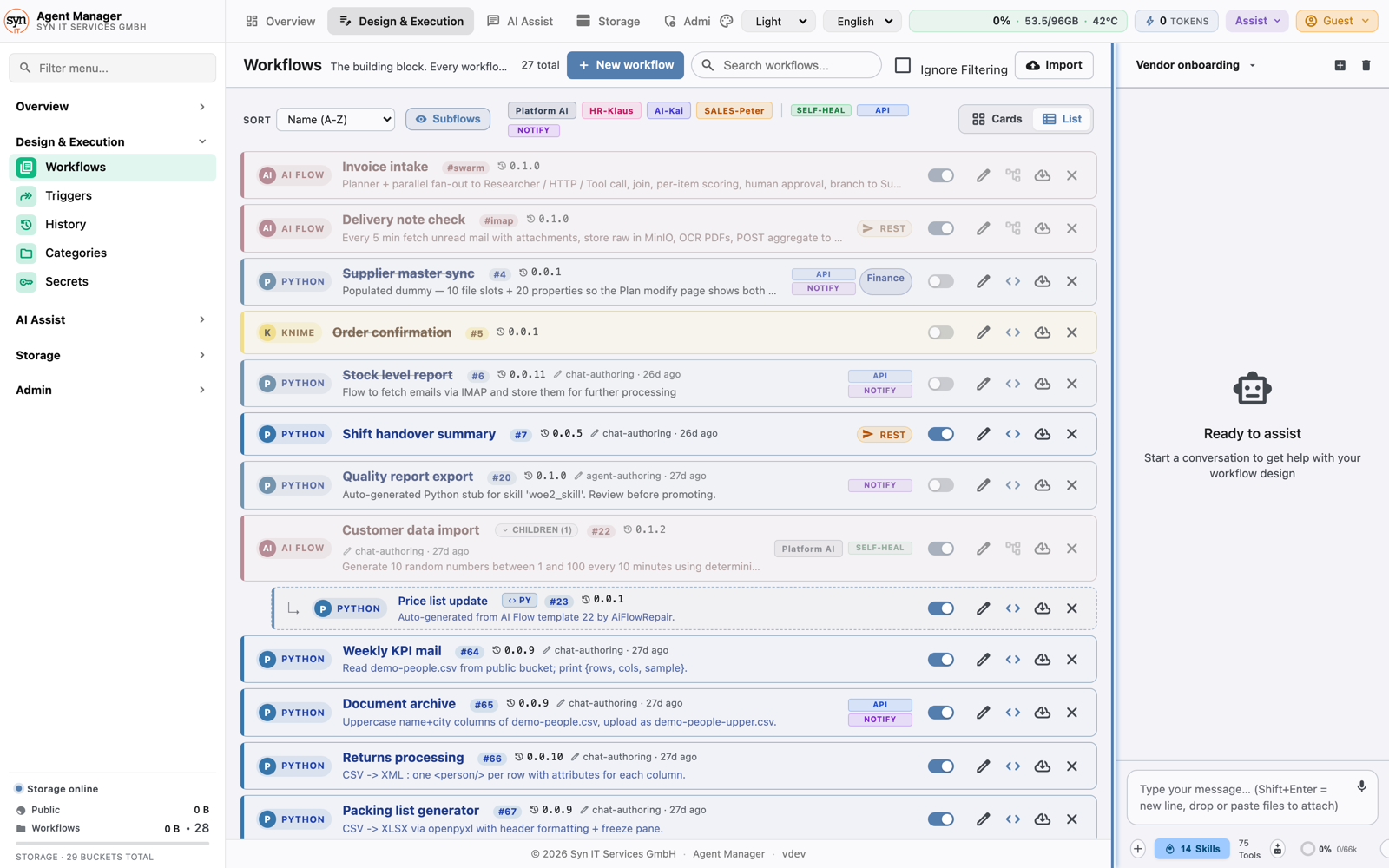
Reports, checks, extractions and data jobs live in one catalogue, grouped by team and by purpose, each switched on or off from a single screen. The script somebody wrote last year stops being a personal side project.
A record you can hand to an auditor
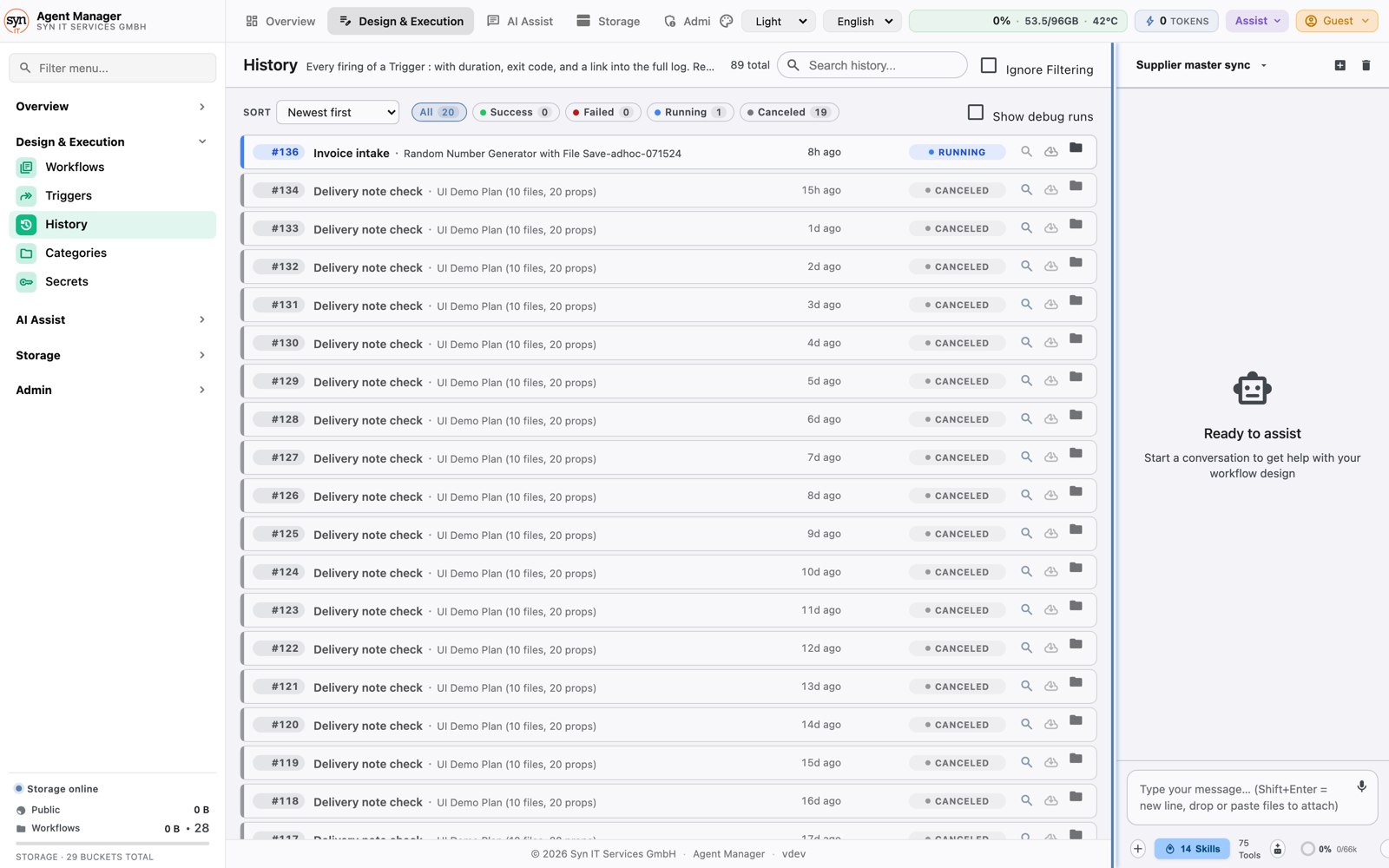
Every execution is kept: when it started, what went in, what came out, how long it took, and who or what set it off. When somebody asks what happened on the 14th, you open that run instead of reconstructing it from memory.
Access that stops at the job
An automation is given its own credentials and its own storage area, and nothing beyond it. A job that is misconfigured or misused reaches its own data and no one else’s.
You decide who may change what
People get roles, and roles carry what they may see and do. Someone with read access gets an assistant that can only read. Publishing a change is a separate right. Nothing is open by default.
It runs where your data is allowed to live
Install it in your own data centre, including sites with no internet connection at all. Run it on the Kubernetes cluster you already operate. Or let us host it in the region you choose. Same product either way.
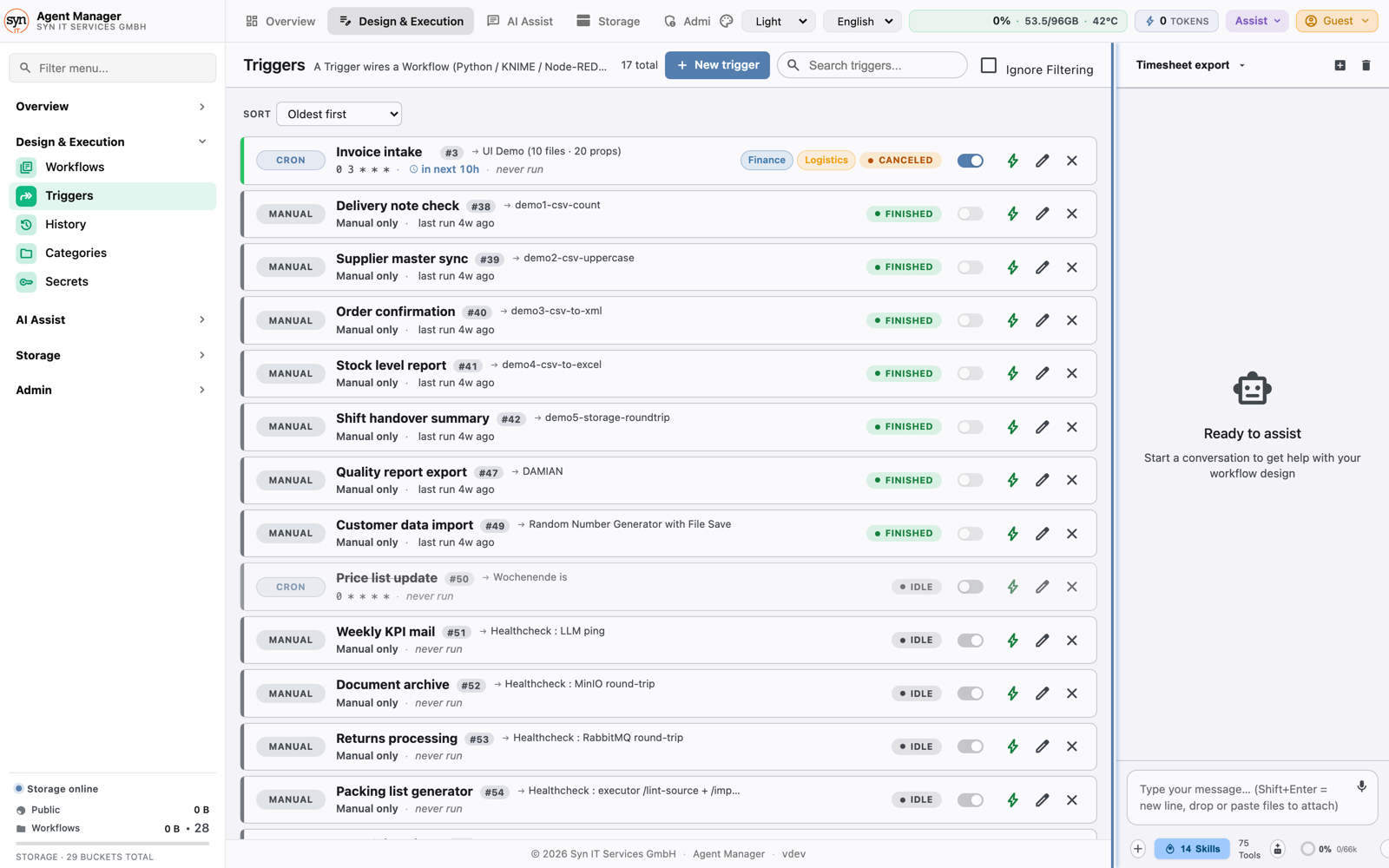
A look inside
The screens your team will live in.
What it does
Authoring, running and governing, in one product.
Authoring
Build an automation by describing it
Say what should happen in your own words. The platform proposes the steps, runs them in front of you, and when something breaks it works the repair through with you rather than handing back an error.
- Plain language in, a working automation out
- Change an existing one by describing the change
- A first version in a session, not a sprint
Running
On a schedule, on an event, or on demand
Some work runs every night at two. Some has to run the moment a file lands or another system calls in. Some is a person pressing the button. All three are the same automation with a different trigger in front of it.
- Fixed schedules, down to the minute
- A file arriving or a call from another system
- A person running it by hand, with the reason kept
Reuse
Your existing work keeps working
Automations call the services you already run, read and write your files, and execute the analytical work your team already maintains in Python or KNIME. You are not asked to rewrite what works before you can automate around it.
- Calls your existing REST services
- Runs your existing Python and KNIME jobs
- Reads and writes the file shares people already use
Governance
Roles, rights and scoped credentials
Who may build, who may publish and who may only watch is your decision, set once and applied everywhere. Each automation holds its own credentials, so access granted for one job never quietly becomes access to everything.
- Roles carry the rights, not individual users
- One credential set per automation, rotatable
- Removing an automation removes its access with it
History
Every run, kept and searchable
Filter by outcome, by automation or by date, and open any run to see exactly what it received, what it produced and how long each step took. Nothing has to be reconstructed after the fact.
- Inputs, outputs, duration and log per run
- Search and filter across the whole history
- Output files stay with the run that made them
Operations
Drivable from a terminal as well as a browser
Everything an operator can do in the browser can also be done from a command line, so the platform fits the deployment and monitoring routine you already have instead of demanding a new one.
- Scriptable for your existing tooling
- Same rights apply on both surfaces
- Fits into your change process, not around it
How it runs
Run it your way. No lock-in.
On-premise appliance
A single appliance in your own data centre or on a plant site. It installs itself, needs no connection to the outside world, and is the usual answer where data is not allowed to leave the building.
- Full data sovereignty
- Works air-gapped
- Your own certificates
- One appliance, one site
Private Kubernetes
The same software on the cluster you already operate, using your ingress, your secrets and your monitoring.
- Bring your own identity provider
- Bring your own storage
- Fits your existing platform
Hosted service
We run it in the region you choose. Nothing to operate, predictable pricing per seat and per automation.
- Choice of region
- Updates without downtime
- A separate tenant per customer
Works with the rest of the range
An automation can compile a report from your published KPI definitions, file evidence into a compliance record, or act on what a production line is reporting and raise the right person before a shift is lost.
How to start
Bring one job you would rather not do again.
Pick a recurring task that costs somebody half a day a week. We build it with you in a working session and hand it back running, so you judge the platform on your own work rather than on a demo.